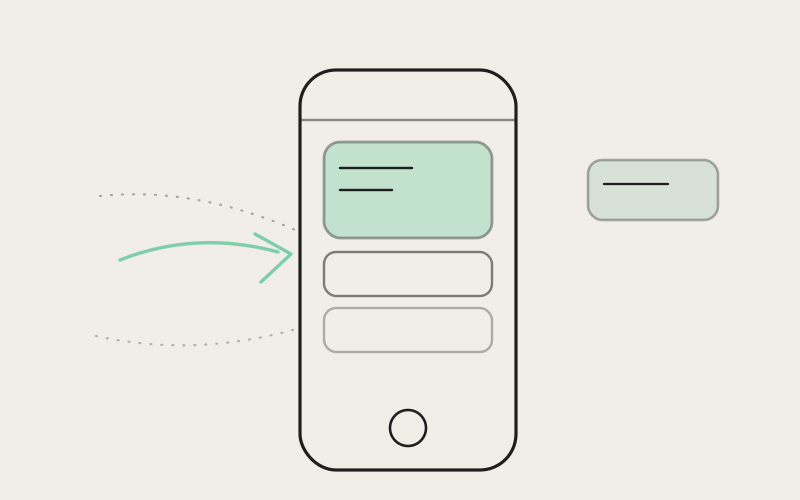
You step away from your laptop for five minutes — coffee, a Slack message, someone stopping by your desk — and pick up your phone to check on the thing you were just doing. Except the app doesn't know what "the thing" was. You open it, and it shows you a home screen, and somewhere on that home screen, if you look in the right place, is the workspace you actually care about. That small gap between "I want to see what I was just doing" and "here is a screen full of options" is the whole problem this update is about. Influxx Mobile's home screen is now built around a history of your recent work, and a simple swipe from the home screen puts you right back where you left off.
The Problem With a Companion App That Forgets
A mobile companion app has one job that matters more than any other: let you check on work you started somewhere else without making that feel like a chore. The entire premise of running agents from your desktop and checking on them from your phone falls apart a little every time checking on them takes longer than it should. And for a while, ours took longer than it should have.
The friction wasn't dramatic. It was small, and it happened constantly, which is worse. You'd unlock your phone, open the app, and land on a general-purpose home screen — a list of hosts, maybe a row of recent activity, maybe an update notice competing for your eye. None of it was wrong, exactly. It just wasn't the answer to the actual question you'd opened the app to ask, which was almost always some version of "what was I just looking at." You'd scan, tap, sometimes tap the wrong thing, back out, tap again. Fifteen seconds, maybe twenty. Not a disaster. But multiplied across every glance you take at your phone during a working day — and there are a lot of those — it added up to a companion app that felt like it needed reintroducing to your own work every single time.
The irony is that the app usually already knew what you'd been doing. The information was there. It just wasn't organized around the one thing people actually do most: check on the most recent thing, over and over, all day.
What Changed: A Home Screen Built Around Recency
The fix is less a new feature than a change in what the home screen assumes about you. Instead of treating every workspace as equally likely to be the one you want, the home screen now keeps a running history of your recent work and puts the most recent workspace right at the top, in the most prominent position on the screen. Not buried in a list you have to scroll to find — the first thing your eye lands on.
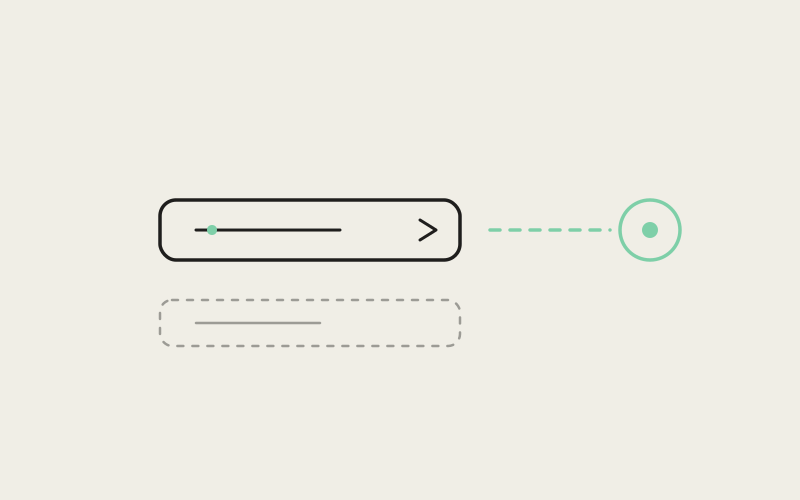
That alone would help. But the part that actually changes how the app feels to use day to day is the gesture layered on top of it: a right swipe from the home screen reopens your most recent workspace instantly. No searching, no scanning a list of hosts, no tapping into a session picker and hoping you recognize the right name. You open the app, you swipe once, you're looking at exactly what you were looking at on your laptop a few minutes ago.
It sounds like a small interaction to build a whole update around, and in isolation it is small. What makes it worth doing is how often the small interaction actually happens. Checking a companion app isn't a once-a-day event — it's a background habit that repeats dozens of times across a working day, in exactly the kind of short, low-attention moments where twenty seconds of friction is the difference between "I'll just glance at it" and "I'll deal with it later." Shrinking that habitual moment from a multi-step search to a single gesture doesn't just save time on any one glance. It changes whether you bother glancing at all.
Why the Gesture Is a Swipe, Not a Button
We could have put a "resume" button somewhere prominent on the home screen and called it done. We didn't, mostly because a button is still something you have to look for and aim at, and the entire point here was removing the looking. A swipe from the home screen works the moment the app is on screen — you don't need to find anything first, because there's nothing to find. Your thumb already knows where the edge of the screen is before your eyes have finished loading the page. That's the difference between a shortcut and a genuine reflex, and we wanted the second one.
Where This Actually Shows Up in Your Day
The value of this isn't really visible in a feature description — it shows up in specific, ordinary moments. A few that came up constantly while we were testing it internally.
You're on the couch after dinner, agent still working through a longer task you kicked off before you logged off for the day. You're not sitting down to do real work — you just want to know if it's still going, or if it hit something that needs your attention. Phone out, swipe, you're looking at the workspace, you see the state, phone back in your pocket. Fifteen seconds, tops, and crucially, fifteen seconds that don't feel like "opening the app to work" — they feel like checking a text message.
You're in line for coffee and you kicked off a build right before you left your desk. You don't want to dig through a list of hosts standing in line — you want the build. One swipe, you can see whether it's still running or whether it finished, and you're back in line before you've even reached the counter.
You come out of a meeting that ran long, and you genuinely can't remember which of your three open workspaces you were mid-task on before you got pulled away. On a laptop this is trivial — everything's still on screen, exactly as you left it. On a phone, without a history to lean on, it used to mean actually thinking back and reconstructing what you'd been doing. Now it doesn't require remembering anything. The most recent workspace is the one waiting for you, because recency is exactly what the home screen is now organized around.
"We kept hearing a version of the same thing from people testing early builds: 'I check it more now, and I'm not sure why.' The honest answer is that we didn't make the app do anything new — we made the thing people were already trying to do take one gesture instead of four or five taps. When the cost of checking drops that much, people just check more, and checking more is the entire value of having a companion app in the first place."
— Yuki Tanabe, Mobile Infrastructure Engineer, Influxx
The Honest Limitation: An Empty History Has Nothing to Swipe Into
We'd rather say this plainly than let someone discover it and feel misled: the swipe gesture is only as useful as the history behind it, and a brand-new install has no history at all. If you've just set up Influxx Mobile for the first time, or you're opening it again after a long gap since your last session, a right swipe from the home screen has nothing recent to reopen — because nothing recent exists yet. The gesture isn't broken in that moment, it's just accurately reflecting that there's nothing to resume.
The same is true, to a lesser degree, if you use the app rarely. A history that only has one entry from three weeks ago is technically a history, but it's not going to feel like the fast, reflexive shortcut described above — it's going to feel like reopening something you'd half-forgotten. This isn't a feature that reveals its full value the first time you open the app. It's one that gets better the more ordinary, repeated use you put into it — the same way a well-worn path only exists because people kept walking the same route. If your pattern is opening the app for the first time in weeks, this update won't feel like much of anything, and we think that's worth saying outright rather than overselling a gesture that needs a bit of history behind it to actually pay off.
How the Home Screen Decides What Counts as "Recent"
The history behind the swipe isn't a single most-recent-workspace slot that gets silently overwritten every time you touch anything — it's a running list, ordered by when you last actually worked in each one. Open a workspace, do something in it, and it moves to the top of that history; step away and open a different one, and that one takes the top spot instead. The swipe gesture always resumes whatever's currently first, so as your attention moves between projects across a day, the gesture moves with it without you ever having to tell it where you're headed next.
That also means the feature doesn't require you to decide anything in advance. You don't pin a workspace, or mark something as "the one I'm working on today," or configure a default. The history just reflects what you actually did, most recently, and the swipe trusts that as the best guess of what you want next. Most of the time, for most people, that guess is right — which is really the whole bet this update is making: that the thing you did last is usually the thing you want to get back to first.
"I run two different client projects most weeks, plus whatever I'm tinkering with for myself at night, so I'm bouncing between three or four workspaces most days. Before this, checking in from my phone meant I had to actually remember which one I'd been in — which sounds trivial until you're doing it for the fifteenth time that day and your brain just doesn't want to do that lookup anymore. Now I don't have to remember anything. I swipe, and whatever I touched last is just there. It's such an obvious thing in hindsight that I keep being a little surprised by how much friction it actually removed."
— Priya Chandrasekaran, freelance backend developer, Influxx user
Why This Mattered Enough to Rebuild the Home Screen Around It
It would have been easy to treat this as a minor addition — one more gesture bolted onto an existing home screen. We didn't approach it that way, because the underlying insight is bigger than the gesture itself: for a companion app specifically, recency isn't just one useful signal among many, it's close to the only signal that matters most of the time. You're not opening your phone to browse everything you've ever worked on. You're opening it to check on the one thing you were just doing, almost every single time. Building the home screen around that assumption, instead of around a neutral list that treats every workspace the same, is a genuinely different design starting point, not a feature added on top of the old one. The mistake we'd been making, without quite noticing it, was designing the mobile home screen the way you'd design a desktop app's project switcher — a flat, complete list, because on a laptop you have the screen space and the patience to scan one. On a phone, in the fifteen seconds someone actually gives the app, that same list is the wrong tool. What people needed wasn't more visibility into everything — it was less friction getting back to the one thing they actually came for.
None of this replaces the rest of the home screen, either — hosts, notices, the fuller picture of everything connected to your account are all still there for the moments you genuinely want to browse rather than resume. The swipe is additive: a fast path laid on top of a home screen that still does its broader job. Most people, most of the time, don't want the broader job. They want the last thing back, immediately, and now that's exactly what one motion of a thumb gives them.
Frequently Asked Questions
How do I get back to my last workspace on Influxx Mobile?
From the home screen, swipe right. That single gesture reopens whatever workspace you most recently worked in, without needing to search through a list of hosts or sessions first.
Why does the swipe gesture on Influxx Mobile not do anything sometimes?
The swipe reopens your most recent workspace, so it needs at least one recent session in your history to work with. On a brand-new install, or after a long gap since your last session, there's nothing recent to swipe back into yet, so the gesture won't have anything to open. It starts working as soon as you've used the app a bit.
Does Influxx Mobile remember more than just my last session?
Yes. The home screen keeps a running history of your recent work, not just a single most-recent slot. Whichever workspace you touched last moves to the top of that history, and the swipe gesture always resumes whatever's currently first.
Can I still see all my hosts and workspaces, not just the most recent one?
Yes. The full home screen — with your hosts, broader activity, and any update notices — is still there. The swipe is an additional fast path layered on top of it for the common case of wanting to jump straight back to your last workspace, not a replacement for browsing everything connected to your account.
Do I need to set up or configure anything for this to work?
No. There's nothing to pin, mark as a favorite, or set as a default. The history is built automatically from what you actually do — whichever workspace you last worked in is the one the swipe takes you back to.
Does this work the same way if I use multiple projects at once?
Yes, and this is where it tends to matter most. As you move between different workspaces during the day, the history reorders itself to match, so the swipe always resumes whichever one you touched most recently — you don't have to track that yourself or tell the app which project you're currently focused on.
Is this swipe gesture available on both iPhone and Android?
The home-screen history and the resume gesture are part of Influxx Mobile generally, built to work the same way regardless of which phone you're using it on.
The best updates to a companion app are usually the ones that are hard to describe as exciting, because what they actually do is remove a small piece of friction you'd half-stopped noticing you were tolerating. This is one of those. Checking on your work from your phone was never supposed to feel like a task in itself — it was supposed to feel like glancing at something you already know. A swipe that puts you back exactly where you left off is a small motion, but it's the kind of small motion that, once it's there, makes you wonder how you were checking in without it.