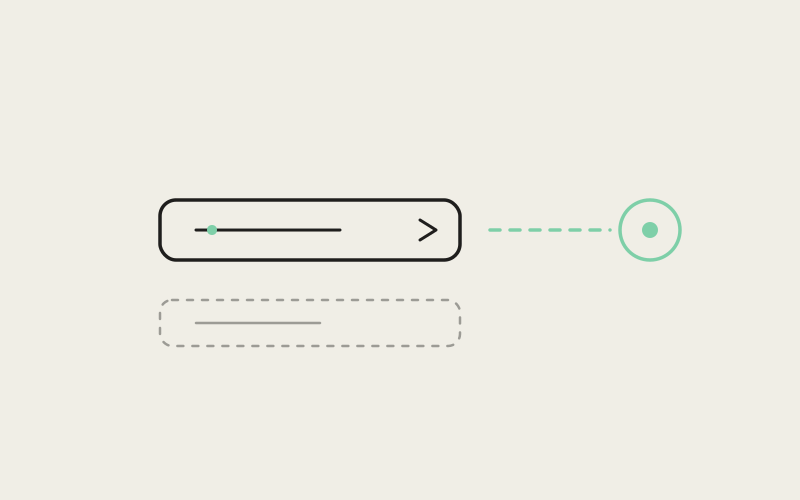
The desktop pairing screen has one job: give the mobile app an address to dial. For most people that address comes from a dropdown of network interfaces the operating system already knows about. But VPN mesh networks, private overlay addresses, and any interface the OS hasn't enumerated yet don't show up in that list — because they don't exist from the OS's point of view until something asks for them by name. Fixing that meant replacing a simple dropdown with something that could accept a raw address, and building a hostname validator picky enough to keep that freedom from becoming a footgun.
The Dropdown That Only Knew What the OS Already Knew
Influxx's pairing flow exists to solve a narrow but important problem: the mobile app needs a network address to reach the desktop daemon over, and the desktop needs to offer a reasonable one without making the user go dig through ifconfig or their router's admin panel. The original implementation did this the straightforward way — enumerate the machine's network interfaces at the OS level, list the resulting addresses in a dropdown, and let the user pick one.
That works fine on a flat local network. It breaks the moment the address you actually want to pair over isn't something the OS has surfaced as a conventional interface. VPN mesh networks are the clearest example: many overlay networking tools assign each device a private DNS name on their own virtual network, resolved through their own client rather than the OS's normal interface list. A user connecting Influxx over that kind of mesh — precisely the scenario where pairing across networks is most valuable, since the phone and desktop might not be on the same LAN at all — would open the pairing screen and simply not find the address they needed. The dropdown wasn't wrong; it was just showing an incomplete picture of what the machine could actually be reached at.
"I run my dev machine on a mesh VPN so I can reach it from anywhere, and the first time I tried to pair the mobile app I just stared at the dropdown wondering where my hostname was. It's not that the feature was broken, it's that it only knew about networks the OS had bothered to tell it about. Once I could type the address directly, pairing took about ten seconds."
— Marisol Feng, platform engineer at a logistics software company, Influxx user
From a Fixed List to a Searchable Combobox
The fix keeps the convenience of the original dropdown — most people still want to just pick from a list of detected interfaces — while adding an escape hatch for everyone else. The plain dropdown was replaced with a searchable combobox: it still lists every interface the OS has enumerated, filterable by typing, but it no longer treats that list as the complete universe of valid addresses. Type something that isn't in the list, and if it parses as a legitimate address, a new entry appears at the bottom: Use this address.
That entry is conditional by design. It doesn't show up for every keystroke — it only renders once the typed text actually validates against the same hostname and port grammar the desktop's pairing-endpoint resolver uses internally. Half-typed text, stray characters, or something that just isn't a routable address never earns the option. The combobox is permissive about where an address can come from, but not about what counts as one.
Session-Scoped, Not Saved
A manually entered address is deliberately ephemeral. It lives only for the current settings-pane session — the moment the pane closes, it's gone, and it's never written to disk. That's a specific design choice, not an oversight: a mesh VPN address is only valid while that VPN session is active, and persisting it would mean the pairing screen could silently offer a stale, unreachable address the next time the settings pane opens on a different network. Session scoping means the manual entry can never quietly outlive the reason it was typed in.
The Grammar That Had to Out-Think a URL Parser
The interesting engineering problem wasn't the combobox UI — it was deciding what counts as "a valid address" in the first place. The initial plan was narrower than what shipped: special-case the private DNS naming pattern used by one specific VPN provider's mesh network, since that was the concrete complaint that started the work. That approach would have solved the immediate bug report and created a maintenance problem — every other overlay network, every other private DNS convention, every future VPN provider would need its own carve-out added by hand.
The validator that actually shipped is broader on purpose. Instead of pattern-matching one vendor's naming scheme, it accepts any standards-compliant hostname, optionally followed by a port suffix — the same grammar that governs ordinary hostnames anywhere on the internet. A mesh network's private DNS name isn't treated as a special case at all; it's just one instance of a hostname that happens to satisfy the general rule, the same way a plain LAN address or a public domain name would.
"We almost shipped the version that only understood one VPN provider's naming pattern, because that's the bug report we had in hand. But the moment you write a special case for one mesh network, you've implicitly promised to write one for the next, and the one after that. Accepting any standards-compliant hostname plus an optional port meant we never had to think about vendor naming again — it's not a VPN feature, it's a hostname feature that VPN addresses happen to satisfy."
— Priya Ranganathan, Senior Engineer, Desktop Platform at ETAPX
Grammatically, that means the validator is doing two things at once: confirming the typed text is a legal hostname under the standard rules — legal characters per label, sensible label boundaries, no malformed structure — and, if a colon and digits follow, confirming the port suffix is itself well-formed. Only when both checks pass does "Use this address" appear. One grammar, one code path, no per-provider branching to maintain.
Why a Perfectly Legal-Looking Hostname Still Gets Rejected
There's one deliberate exception carved into that otherwise-general grammar, and it exists because of how a standard URL parser behaves downstream, not because of anything unusual about the address itself. If the final label of a typed hostname looks purely numeric — or purely hexadecimal — the validator rejects it, even though a standards-compliant hostname parser would otherwise wave it through.
The reason is subtle and specific to how connection strings get interpreted later in the pipeline. A standard URL parser treats a numeric-looking final label as a signal that the whole string should be read as an IPv4 address, not a hostname. If the user typed something that was actually intended as a hostname but happens to end in a segment that reads as all-numeric, the downstream parser could silently reinterpret it and dial a completely different address than the one the user meant — with no error, just a connection to the wrong place. Rejecting that shape upfront, at the validator, turns a silent misconnection into a rejected entry the user notices immediately and can correct.
- What gets accepted: a standards-compliant hostname, with or without a port suffix — including private mesh-network DNS names, plain LAN hostnames, and ordinary domain names.
- What gets rejected on purpose: hostnames whose final label is purely numeric or hex, on the theory that it's a mistyped IP address rather than an intentional hostname.
- What appears only when validation passes: the "Use this address" entry at the bottom of the combobox list.
"That one rejection rule is the whole reason this took longer than a weekend. It's easy to write a validator that accepts good input. It's much harder to notice that a technically valid hostname will get silently reinterpreted three layers downstream by a parser that was never told about mesh networks in the first place."
— Priya Ranganathan, Senior Engineer, Desktop Platform at ETAPX
Mirroring the Backend, Not Guessing at It
The validator's grammar isn't an independent implementation that happens to agree with the backend most of the time — it deliberately mirrors the exact parsing rules the main process's own pairing-endpoint resolver uses when it actually opens a connection. That's the property that makes the combobox trustworthy rather than merely permissive: the UI never offers "Use this address" for an input the backend would then fail to connect to, and it never blocks an input the backend could have handled.
This matters more than it might sound like at first. A validator that's slightly looser than the resolver produces a bad experience where the UI accepts an address, hands it off, and the connection silently fails with no clear explanation. A validator that's slightly stricter produces the opposite problem — a legitimate address the backend could reach gets rejected before the user ever gets a chance to try it. Keeping both sides of that boundary on the same parsing rules is what lets the combobox make a promise: if it shows you "Use this address," the backend can actually dial it.
Coexistence, Not Replacement
Manual entry doesn't compete with OS-discovered interfaces — it supplements them. If a user types a mesh address by hand today, and the OS later enumerates that same address as a normal interface on its own (say, after a VPN client updates how it registers routes), both entries simply coexist in the list without conflict. The user's existing selection is left alone; nothing gets silently swapped out from under them because the OS caught up.
That coexistence rule is what makes the manual-entry path feel safe to reach for rather than like a workaround you have to remember to undo later. Typing an address doesn't create a parallel, conflicting source of truth — it's the same list, just no longer capped at whatever the OS happened to enumerate first.
"The instinct with a bug like this is to patch the specific complaint and move on — add one VPN provider to a list somewhere. What we actually shipped was a validator that treats 'private mesh network' as an ordinary case of 'hostname,' not an exception to it. That's the difference between fixing a ticket and fixing the assumption that caused it."
— Owen Achterberg, VP of Engineering at ETAPX
Frequently Asked Questions
Does the combobox replace the old dropdown, or add to it?
It adds to it. Every OS-enumerated interface still appears and is still searchable; manual entry is an additional option that shows up as a distinct "Use this address" entry once what you've typed validates.
Will a manually typed address still work after I restart Influxx?
No, and that's intentional. A custom address is scoped to the current settings-pane session and is never written to disk, so it clears when the pane closes rather than persisting as a stale entry.
Why was a hostname ending in something like a plain number rejected when I typed it?
Because a standard URL parser downstream treats a numeric-looking final label as a signal to interpret the whole string as an IPv4 address rather than a hostname. The validator rejects that shape deliberately so you don't end up silently connected to the wrong address.
Because a standard URL parser downstream treats a numeric-looking final label as a signal to interpret the whole string as an IPv4 address rather than a hostname. The validator rejects that shape deliberately so you don't end up silently connected to the wrong address.
Does this only work for one VPN provider's naming scheme?
No. The validator accepts any standards-compliant hostname with an optional port suffix, so any mesh or overlay network's private DNS naming convention is covered as long as it produces a valid hostname — there's no vendor-specific allowlist to maintain.
What happens if I type an address the backend can't actually reach?
If it's grammatically a valid hostname or IP with an optional port, the combobox will offer it, because the validator mirrors the same parsing rules the main process's pairing resolver uses. Reachability itself — whether something is actually listening at that address — is still determined at connection time, the same as it would be for any OS-discovered interface.
Can I type a raw IP address instead of a hostname?
Yes. The grammar covers standards-compliant hostnames plus an optional port suffix, and a raw IP address is handled correctly rather than being caught by the numeric-final-label rejection rule, which targets hostnames that look like mistyped IPs, not IP addresses entered as such.
What happens if the OS later detects the same address I typed manually?
Both entries coexist in the list without conflict, and your existing selection is left as-is — the newly discovered interface doesn't silently override or replace the manual entry.
The real fix here wasn't adding a text field — it was recognizing that "network interface" and "hostname the backend can dial" are two different concepts that had been conflated into one dropdown, and that only one of them was ever the OS's to enumerate.