A single AI coding agent is a useful assistant. Four or five of them running at once, each on a different piece of the same problem, is a different way of working entirely — and it breaks almost every assumption a normal windowing interface makes about how many things a person can watch at once. Influxx's flexible pane grid was built specifically for that shift: a layout developers can rearrange by dragging panes into new positions without triggering an accidental swap, where each pane holds its scroll position and identity as the grid reflows around it, and where selecting text in one terminal no longer visually bleeds into the pane next to it.
Why One Agent Stopped Being Enough
The instinct to run a single AI coding agent and wait for its answer made sense when agents were slow, unreliable, or both. As they've gotten faster and more capable, a different pattern has become common among the developers we talk to: running several agents in parallel, each doing a distinct piece of work, and treating the collection of them more like a small team than like one tool.
Three patterns come up constantly. The first is comparative: pointing two or three agents at the same hard problem with slightly different framing or context, then reading their approaches side by side before committing to one. The second is review-oriented: running an agent's output past a second agent configured to critique it, watching both panes at once rather than switching back and forth between a result and a review. The third is throughput-oriented and probably the most common — a slow, mechanical migration running in one pane while a developer keeps iterating on an unrelated feature in another, so the slow thing doesn't block the fast thing.
None of these patterns are exotic. They're just what happens naturally once agents are fast enough and cheap enough to run more than one at a time, the same way developers started running multiple terminal tabs or multiple browser windows once doing so stopped being expensive. The tooling just hadn't caught up to the pattern yet.
The Grid, and the Trap It Had to Avoid
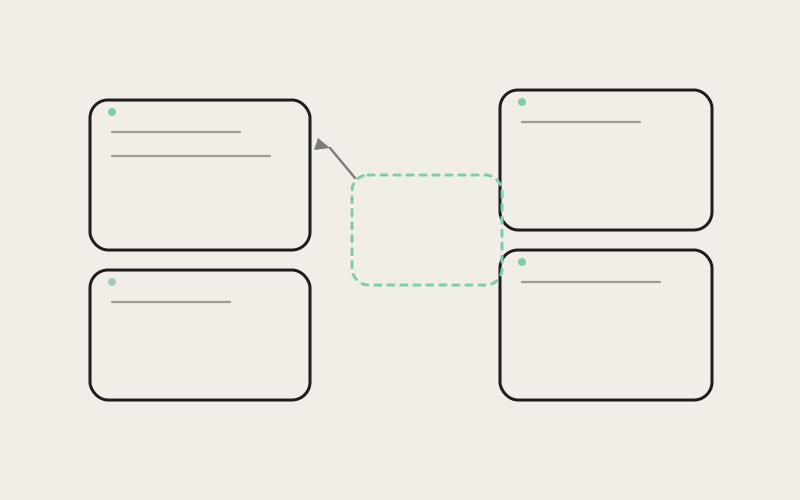
Influxx desktop lets you open multiple agent panes side by side in a flexible grid and drag them into new positions — resize one pane and its neighbors adjust, drag a pane's header and drop it into a new slot and the layout reflows around it. That sounds simple until you've used a rearrangeable grid that gets it wrong, which most of us have, somewhere. The classic failure mode is what we internally call the grid rearrange trap: you go to resize one pane, and because drop zones are ambiguous or too generous, you accidentally trigger a full swap between two panes instead, and now the terminal you were mid-command in has silently changed position, or worse, changed identity with another one.
Avoiding that meant being deliberate about what counts as a valid drop target and making the difference between "move here" and "swap with this" visually unambiguous while you're dragging, rather than something you only discover after releasing the mouse. A pane being dragged shows a clear preview of where it will land before you let go, and the grid distinguishes between dropping into an empty region — which just places the pane there — and dropping directly onto an occupied one, which swaps the two, with enough visual difference between those two drop states that a developer mid-drag isn't guessing which one they're about to trigger.
Keeping Each Pane's Identity Stable
The harder problem wasn't the drag interaction itself, it was what happens to a pane's contents while the layout around it changes. Each pane in the grid is running a live, ongoing agent session — its own scroll position, its own selection state, its own connection to whatever the agent is doing at that moment. A naive implementation of a rearrangeable grid treats panes as interchangeable slots and just re-renders whatever content belongs in a given position after a layout change. That's fine for static content. It's a real problem for a live terminal, because a scroll position that resets or a selection that clears every time the grid reflows makes the whole feature unusable the moment you actually need it — which is exactly when you're deep in a long agent output and something else in the layout changes.
So panes in Influxx's grid keep their own identity independent of their position. Moving a pane, resizing its neighbors, or adding a new pane to the grid doesn't tear down and rebuild the panes that didn't move — it repositions them while their internal state, scroll position included, stays exactly where it was. From the outside, that should look like nothing happening at all, which is the point. The moment a user notices that their scroll position survived a layout change, something has actually gone slightly wrong with the feeling of continuity we're going for — it should just already be true, without anyone thinking about it.
"The interaction that looks hardest — the drag-and-drop itself — actually wasn't the hard part. Making a drop zone unambiguous is a solvable, contained problem. The hard part was convincing every pane's internal state to survive its container being torn apart and reassembled around it multiple times a minute, without that state ever being visibly disturbed. That's the part where a five-minute-looking feature ate weeks."
— Sofia Marchetti, Desktop Platform Engineer, Influxx
Fixing the Selection Wash Between Panes
One bug in particular captured what makes multi-pane work fragile in a way that's easy to miss until you're actually running several agents at once: selecting or highlighting text in one terminal pane could visually bleed into the pane sitting next to it, a faint wash of selection color creeping across a boundary that should have been solid. It's the kind of thing that looks like nothing in a screenshot and feels genuinely disorienting in real use — you drag to select a chunk of output in one agent's terminal, and for a moment it looks like the adjacent pane, running an entirely different agent on an entirely different task, is part of the same selection.
The fix required treating each pane's selection rendering as strictly scoped to that pane's own boundary, rather than as a single selection layer drawn across the whole grid that happened to be clipped by each pane's edges. Those sound like they should produce the same visual result, and for most of the grid's states they did — which is exactly why the bug survived as long as it did before someone doing genuinely parallel multi-agent work in adjacent panes actually noticed the bleed happening in a specific window-resize state where the clipping boundary and the pane's true edge briefly disagreed.
It's a small fix in isolation, and also a good example of why multi-pane interfaces need dedicated testing beyond what a single-pane terminal ever required. Bugs like this one only exist at the boundary between two things — they're invisible if you only ever test one pane in isolation, and they're exactly the kind of thing that erodes confidence fastest once you're relying on several panes at once to keep a complex piece of work straight in your head.
"I run a comparison agent next to whatever I'm actually building, basically all day — one pane doing the real work, one pane double-checking it. When selection was bleeding between panes I stopped trusting what I was looking at for a second every time it happened, which for a feature built entirely on 'glance between two things quickly' is basically fatal. Since the fix I don't think about it anymore, which is exactly what I want from infrastructure like this."
— Naomi Vance, staff engineer at a logistics SaaS company, Influxx user
What "Reflow" Actually Has to Guarantee
Adding a new pane to an already-populated grid, or closing one, forces every remaining pane to recompute its size and position — that's reflow, and it's the moment most of the fragility in a multi-pane layout tends to surface. The guarantee we hold reflow to is narrow but strict: a pane's content, scroll position, and any in-progress interaction — a partially typed command, an open selection, an unsent input — has to survive a reflow triggered by an unrelated pane opening or closing elsewhere in the grid. Reflow is allowed to change a pane's size and screen position. It's never allowed to change what's inside it or where you were in that content.
That distinction between position and identity is the core idea underneath the whole grid, not just the selection fix or the drag interaction specifically. A pane is not a slot that happens to contain a session. It's a session that happens to currently occupy a slot, and the interface has to behave consistently with that ordering, especially under the kind of layout churn that comes from actually running several agents in parallel — opening a new one to try an approach, closing one that didn't pan out, resizing to give a long-running migration more room to breathe.
The Honest Ceiling on How Many Panes Actually Work
It would be easy to write this piece as though more panes are strictly better, and we don't believe that, so we're not going to imply it. There's a real, practical ceiling on how many agent panes a person can usefully watch and work with on one screen at once, and it's a lot lower than the grid is technically capable of laying out. Two or three panes is comfortable for most of the workflows we described earlier — comparison, review, background-plus-foreground work. Five is workable for short stretches if you're specifically orchestrating rather than deeply reading each pane's output. Beyond that, you're not really working with agents anymore, you're managing a dashboard, and the value of each individual pane's output starts dropping fast because no one can actually read five things at once with real attention.
We didn't try to design around that ceiling by promising unlimited panes are all equally usable, because they aren't, and pretending otherwise would just mean shipping a grid that technically supports an arbitrary number of panes while quietly being useless past a point most people would discover within a day of trying it. Instead the default layout and the sizing behavior are tuned around a smaller, realistic number of simultaneously meaningful panes — enough room that two or three panes are comfortable to read at once, with the grid still supporting more if you genuinely need them for a short orchestration-heavy stretch, rather than every pane getting squeezed down to a sliver in service of technically supporting a dozen at once.
"We get asked reasonably often why we don't just let people tile twenty panes if they want to. The honest answer is that we'd be optimizing for a screenshot instead of a workflow. Nobody actually reads twenty terminals with real attention. What we've built is a grid that stays genuinely usable at the pane counts people actually work at, and doesn't pretend the ceiling isn't there."
— Theo Lindqvist, Founding Engineer, Influxx
Where This Is Headed
The pattern of running several agents in parallel is still new enough that the right interface for it isn't fully settled, inside Influxx or anywhere else building similar tools. What we've learned building this grid is that the interesting problems aren't really about layout math — computing pane sizes on a reflow is the easy part. They're about identity and continuity: making sure a pane that's been resized four times in the last minute is still, functionally, the exact same session it was before any of that happened, with nothing lost and nothing bled across a boundary it shouldn't have crossed. That's a much harder property to guarantee than "the boxes fit," and it's the one that actually determines whether running five agents at once feels like a capability or like a liability.
Frequently Asked Questions
How many AI coding agents can you realistically run at once in Influxx?
The grid supports as many panes as your screen can reasonably lay out, but usability drops well before any technical limit. Two or three panes is comfortable for sustained, attentive work like comparison or review; five is workable for short orchestration-heavy stretches. Beyond that most people are managing a dashboard rather than genuinely reading agent output.
Why does dragging a pane into a new position sometimes swap two panes instead of moving one?
A swap is intentional and only happens when you drop directly onto an already-occupied pane; dropping into an empty region simply places the pane there. The grid shows a distinct preview for each case while you're dragging so you can see which action you're about to trigger before releasing.
Does resizing or rearranging the pane grid reset a terminal's scroll position?
No — panes keep their own scroll position, selection state, and session identity independent of their position in the grid. Reflow changes where a pane sits on screen; it's not allowed to change what's inside it.
Why did text selection in one terminal pane used to bleed into an adjacent pane?
Selection rendering wasn't strictly scoped to each pane's own boundary in every layout state, so in certain window-resize situations a selection's visual clipping and the pane's true edge briefly disagreed, letting the highlight wash slightly into the neighboring pane. It's now scoped per pane so that can't happen.
Is there a limit to how many agent panes you can open in the grid at once?
There's no hard technical cap, but the default layout and sizing are tuned around a realistic number of simultaneously useful panes rather than squeezing an arbitrary number into equally small slivers. We'd rather two or three panes stay genuinely readable than support twenty panes nobody can actually use.
What's the difference between running agents in parallel versus just switching between single-agent tabs?
Tabs hide everything except the one you're looking at, which works fine when you only need one agent's output at a time. Parallel panes are for workflows that specifically require watching two or more things at once — comparing two approaches, reviewing one agent's output against another, or keeping a slow background task visible while you keep working elsewhere.
Does adding a new pane disrupt the agent sessions already running in other panes?
No. Adding or closing a pane triggers a layout reflow for the remaining panes, but their content, in-progress input, and scroll position are preserved through that reflow — only size and screen position change.
Running several agents at once isn't really about the number of panes on screen — it's about whether each one still feels like a distinct, trustworthy piece of work while everything around it keeps moving. That's a harder bar to clear than it sounds, and it's the one we optimized for over the more impressive-looking promise of unlimited, equally usable panes. Most days, two or three well-behaved panes beat a grid full of them.