An agent finishes a task and says, "here's the file." That sentence used to mean a small chore: tap the download, wait for it to land, switch over to your Files app to find it, open it in whatever handles that file type, read it, and then swipe back to the conversation hoping you can still find your place. Influxx Mobile now skips all of that. Tap the file the agent mentions, it opens right there in the app, and when you're done you're back in the conversation exactly where you left it.
The Tiny Tax Nobody Really Complained About
It's the kind of friction that's easy to undersell, because no single instance of it is annoying enough to complain about. An agent generates a report, a summary, a small PDF, and mentions it in passing. You want to glance at it — not archive it, not file it away, just read it and keep talking. So you tap the download, and now you're in a holding pattern: a progress indicator, a notification when it finishes, a trip to whatever app your phone hands files off to, a squint at a viewer that wasn't built with your conversation in mind, and then the work of getting back to where you were.
Multiply that by however many files come up in a normal week of running agents from your phone — a generated report here, a screenshot there, a reference document someone shared before a call — and it adds up to a surprising amount of app-switching for something as simple as reading a page or two. None of it is hard. All of it interrupts the thing you were actually doing, which is having a conversation with an agent and reacting to what it's producing.
The deeper cost isn't the seconds lost to any one download. It's what happens to your attention. Every hop out of the conversation — download, notification, Files app, viewer app, back button, back button again — is a small chance to lose your train of thought, forget what you were about to ask next, or just decide the file wasn't worth the trip and skip it. A document viewer that keeps you in the conversation isn't about saving taps. It's about not breaking the thread of what you were doing.
What It Looks Like Now
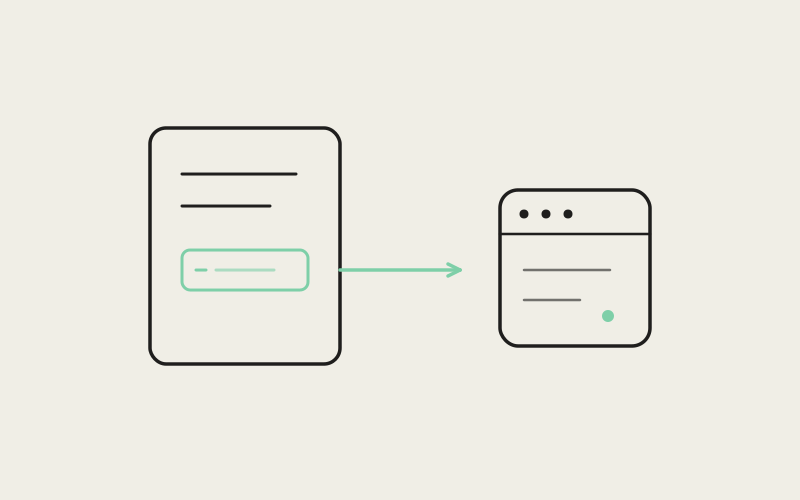
When an agent references or produces a document during a chat session on Influxx Mobile — a PDF, an image, a text file — that reference shows up as something you can tap directly, right where it appears in the conversation. Tap it, and the document opens in an in-app viewer layered over your session. You read it, scroll it, zoom in on a detail if you need to, and then close it with a single motion. You land back exactly where you were, mid-conversation, with the agent's next message waiting and your scroll position untouched.
There's no separate download step to wait through, no notification to dismiss, no decision about which app should open it. The file opens because you tapped it, and it closes because you're done looking at it. That's the entire interaction. It's a small design goal — read the thing, then keep going — but it's the goal that actually matches how people use documents inside a chat: as something to glance at and refer back to, not something to archive.
Your Place in the Conversation Stays Put
The part that matters most in daily use is the smallest-sounding one: closing the viewer puts you back exactly where you were, not at the top of the conversation, not at the bottom, not somewhere you have to hunt for your spot again. If you were three messages deep reading through what an agent found, you're still three messages deep after you glance at the file it attached and close the viewer. That continuity is what makes checking a file feel like a two-second detour instead of a context switch.
The Documents This Actually Helps With
This isn't a feature that shines in some rare, dramatic scenario. It's useful precisely because of how ordinary the situations are. A few that come up constantly once you're running agents from your phone:
- A generated report. You asked an agent to pull something together — a summary, a written breakdown, a short write-up of findings — and it hands back a document instead of a wall of chat text. You want to read it once, maybe skim it again later in the conversation, without treating it like a file you need to save.
- A screenshot the agent is discussing. An agent references an image — something it captured, something you sent it earlier — and is talking about specific details in it. Being able to open that image inline, right next to the message describing it, means you're looking at the same thing the agent is describing instead of trying to remember what was in a screenshot you saw five minutes ago.
- A reference document someone shared. A teammate sent over a document before a call, or an agent pulled in something you'd shared earlier as context for a task. You want to check what it actually says without a whole detour out of the app you're already working in.
None of these are edge cases. They're the ordinary texture of a workday that involves handing tasks to agents and checking in on what they've produced — on a commute, between meetings, in the ten minutes before you have to be somewhere else. The viewer isn't solving a rare problem. It's removing a small, constant one.
"We kept hearing the same shape of feedback: people were fine with what agents were producing, but annoyed by how many taps it took just to look at it. That's not a feature people ask for directly — nobody's request is 'please let me view a PDF' — but it's exactly the kind of friction that makes a mobile session feel like a lesser version of sitting at your desk. Closing that gap mattered more to us than almost any single new capability we could have added instead."
— Devon Okafor, Design Systems Lead, Influxx
A Normal Day With It
Picture the ordinary version of this: you're on a train, checking in on a task you handed off before you left the house. The agent's progress update includes a short report on what it found, plus a screenshot of something it flagged. Before, this meant three separate stops — download the report, find it, open it; then do the same for the screenshot; then find your way back into the conversation to respond. Now it means two taps and two closes, and you're typing your reply within the same minute you started reading.
Or you're between meetings, and a colleague dropped a reference document into a shared conversation earlier that morning, one an agent is now using as context for a task. You want a thirty-second gut check on whether it says what you remember it saying, not a full read-through in a dedicated app. Tap, skim, close, back to your next meeting. The document viewer is built for exactly that kind of check-in — quick, situational, and disposable the moment you're done with it.
"I run most of my agent sessions from my phone during my commute, and the number of times I'd get a 'here's the file' message and just... not look at it, because downloading and finding it felt like too much for a ten-minute train ride, was honestly kind of embarrassing. Now I actually open the thing. It sounds small, but I'm reading way more of what my agents actually produce instead of just trusting the summary."
— Priya Chandrasekaran, engineering manager and Influxx user
Being Honest About What This Isn't
This is a viewer, not an editor. You can open a document, read it carefully, zoom into a detail, and close it — but you can't mark it up, edit its text, or make changes and save them back from inside the viewer. If a document genuinely needs editing — rewriting a paragraph, adjusting a spreadsheet, annotating a PDF — that work still belongs in whichever native app is actually built for it. The in-app viewer is deliberately scoped to reading, not to replacing the tools you already use to produce and edit documents.
That's a real trade-off, and we'd rather say it plainly than let anyone assume otherwise: this feature makes checking a file effortless, but it doesn't try to be a mobile office suite bolted onto a chat app. For the read-it-and-keep-moving majority of cases that come up during an agent session, that scope is exactly right. For the smaller set of cases where you actually need to change what's in the document, you'll still be handing off to another app — just with the benefit that you got a clear look at the file first, right in the conversation, before deciding it was worth the trip.
Frequently Asked Questions
What file types can I open in Influxx Mobile's document viewer?
PDFs, images, and text documents that an agent references or produces during a chat session open directly in the in-app viewer. If an agent mentions or attaches one of these, you'll see it as something you can tap and open right where it appears in the conversation.
Do I still need to download files to view them?
No. Tapping a document reference opens it directly inside the app. There's no separate download step, no waiting for a notification, and no trip to a Files app before you can read what an agent produced.
Can I edit a document I open in the viewer?
No, the in-app viewer is built for reading, not editing. If you need to make changes to a document — rewrite text, adjust content, add annotations — you'll still need to open it in its native app. The viewer is meant for quickly checking what a file says, not replacing your editing tools.
Does opening a file lose my place in the conversation?
No. Closing the document viewer returns you to exactly where you were in the conversation, scroll position and all. You don't lose your spot by checking a file mid-conversation.
Does this work for screenshots an agent takes or references?
Yes. Images an agent references or produces during a session, including screenshots, open the same way as any other document — tap to view, close to return to the conversation.
Is this only for files the agent generates, or also for documents I share?
Both. Reports and images an agent produces during a session open this way, and so do reference documents you or a teammate share into a conversation that an agent then works with or discusses.
Does this replace a full document editor on mobile?
No, and it isn't trying to. It's built specifically for viewing and reading documents that come up during an agent session, not as a general-purpose mobile office app. Editing still happens in whichever native app is meant for that document type.
None of this changes what agents can do. It changes how much of what they do you actually end up looking at. A viewer that opens where you're already reading, and closes back to exactly where you were, turns "here's the file" from a small errand into something you just do without thinking about it — which, on a phone, in the ten minutes you actually have, is most of the point.