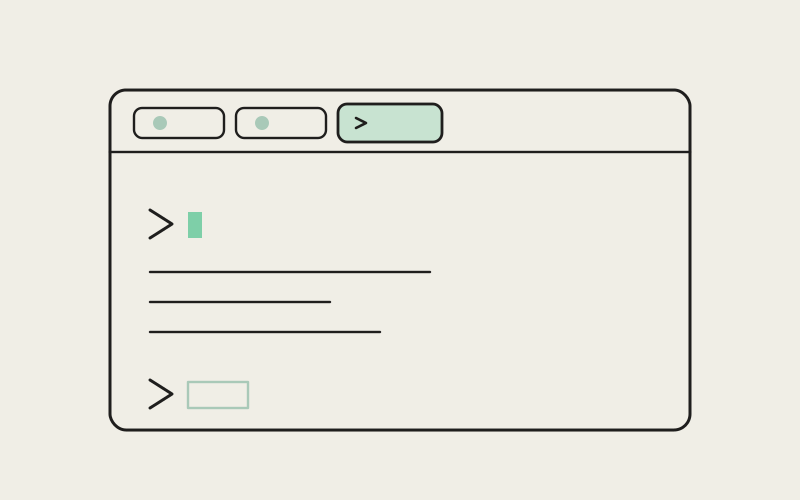
It's ten in the morning, three agent tabs are running in your Influxx window, and you just want to check one thing: is that branch actually clean, or did last night's session leave something uncommitted? That's not a job for an agent. It's a job for a normal shell, thirty seconds, done. Influxx desktop now lets you open exactly that — a plain, empty terminal tab, no agent attached, sitting right alongside your Claude Code, Codex, and other agent panes in the same window.
The Small Tax of "Just Let Me Open a Terminal"
Every developer has a version of this moment. An agent is mid-task in one tab, another is waiting on your input in the next, and you need to do something small and manual — tail a log file, poke at a stray environment variable, kill a process that's hogging a port, run a one-off script you wrote last week. None of that needs an AI agent watching over your shoulder. It just needs a shell.
Before now, getting that shell inside Influxx meant either routing the request through an agent tab that wasn't built for quick manual commands, or doing what most of us did without thinking twice: alt-tabbing out to a completely separate terminal application. That second option always worked, but it was never free. You lost the window that had your project layout, your open agent sessions, and your working directory already sorted. You'd land in a fresh terminal window that didn't know which project you were even in, retype a cd, and then, task done, tab back into Influxx and try to remember what you were doing before you left.
None of that is a big deal on its own. It's maybe fifteen seconds each time. But it happens constantly — probably more times a day than you'd guess if you actually counted — and every one of those fifteen-second detours is a small break in attention. You're not just running a command, you're leaving your cockpit to do it.
A Tab That's Simply a Terminal
The fix isn't clever. It's almost aggressively plain, which is the point: a new tab type in Influxx that is just a terminal. No agent is attached to it. Nothing is watching the output, summarizing it, or waiting to suggest a next step. You open it the same way you'd open any other tab, you get a shell in your project's directory, and you type.
What that feels like in practice is less dramatic than it sounds, and that's exactly the appeal. You're not learning a new tool or context-switching into a different mental mode. It's the same tab bar you already use for your agent sessions, the same keyboard shortcuts, the same window you've had open all morning — just one more tab that happens to be a plain shell instead of an AI agent. Shoulder to shoulder with the panes actually doing agent work, there's now a pane that isn't doing anything except being a terminal.
We think this is one of those features that's easy to undersell in a description and completely obvious the first time you use it. Nobody has ever wanted an AI agent's opinion on whether a branch is clean. They just wanted to check.
"We kept hearing a version of the same complaint from people who otherwise loved running agents in Influxx: 'sometimes I just want a terminal.' Not a lighter-weight agent, not a smarter one — an actual plain shell, because that's the right tool for the thing they're doing in that moment. It felt almost too simple to ship as its own feature, but that simplicity was exactly what people were asking for."
— Sofia Marchetti, Desktop Platform Engineer, Influxx
The Everyday Moments This Is Actually For
None of these are glamorous. That's sort of the point — a plain terminal earns its keep in the boring, constant, small stuff that fills a real workday:
Checking where things stand. Before you hand a project off to an agent, or right after one finishes, you want to know: what's staged, what's modified, what's untracked. A quick status check, no agent commentary needed.
Running a one-off script. You've got a little cleanup script, a data-formatting one-liner, a build step you only run occasionally. It doesn't need to live inside an agent conversation. It needs to run, print its output, and be done.
Poking at a log file. Something's acting up and you want to scroll through recent log output yourself, at your own pace, without narrating your intent to anything.
Killing a stray process. A dev server didn't shut down cleanly, a port's still held open, something's eating memory it shouldn't be. You find the process and end it. Nothing about that benefits from an AI agent being in the loop.
Trying a command before you trust it. Sometimes you want to run something manually first — see exactly what it prints, exactly how it behaves — before you'd ever hand a similar task to an agent. A plain terminal is where that kind of hands-on checking happens naturally.
Quick environment sanity checks. Which version of a tool is installed, which directory you're actually in, whether a service is listening on the port you think it is. Fast questions that don't deserve a whole conversation.
What all of these share is that they're short, manual, and don't need a second opinion. They're the connective tissue of a normal engineering day — the parts that happen between the bigger tasks you'd actually assign to an agent.
Same Window, Same Muscle Memory
The part that seems to matter most to people isn't the terminal itself — plain shells aren't new — it's where it lives. Adding a terminal tab next to your agent sessions means you never leave the window that already has your context loaded: your project open, your agent tabs mid-task, your layout exactly how you left it. You open a new tab, pick "plain terminal" instead of an agent, and you're there. When you're done, you close it or flip back to an agent tab, and everything else is exactly where you left it, because you never actually left.
That continuity is the whole value. It's not that a plain terminal does anything a separate terminal app couldn't already do — of course it can run the same commands. It's that it removes the decision and the detour. You stop asking yourself "is this worth tabbing out of Influxx for," because there's no longer a meaningful cost to answering yes. The terminal is just there, one tab away, in the window you already have open.
It also means the small manual moment doesn't erase what you were mid-thought about. Anyone who's alt-tabbed away to run a quick command and come back forty seconds later having half-forgotten what they were checking on in the first place knows that tax. Staying in one window, one app, one continuous train of attention removes it.
Showing Someone Something, Without the Extra App
It also shows up in smaller, more social moments than you'd expect. If a teammate leans over to look at your screen, or you're on a call sharing your window, a plain terminal tab sitting next to your agent sessions reads as one coherent workspace — not "here's my AI tool, and also here's the regular terminal app I keep open on the side for the real work." It's one window, doing everything you actually do in a day, agent-assisted and not.
One Thing It's Not
We want to be direct about the boundary here, because it's easy to assume a terminal tab living inside an AI-agent cockpit must have some AI baked into it somewhere. It doesn't, and that's deliberate. This is a plain shell — not a lightweight agent, not an assistant with a smaller footprint, not something that's quietly watching your commands and ready to jump in.
The practical consequence is worth knowing up front: if you're halfway through a manual task in a plain terminal tab and realize you actually want AI help with it — maybe that one-off script turned out to be more involved than you thought, or that log file has a pattern you'd rather have an agent dig through — you don't upgrade that same tab in place. You open a different tab, an agent tab, and hand the task over there. The plain terminal stays plain. It's a different tool sitting next to your other tools, not a tool that becomes another tool halfway through.
That's a real seam, and we'd rather name it than pretend it isn't there. The upside is that the boundary is easy to reason about — you always know exactly what kind of tab you're in and what it will and won't do — but it does mean the two experiences aren't fluid into one another yet.
"I run four or five agent sessions at once most days, and the number of times I used to pop open a separate terminal window just to check something small was honestly kind of embarrassing once I noticed it. Now it's just another tab. I don't think about it anymore, which is exactly how it should feel."
— Priya Nair, infrastructure engineer at a healthcare analytics company, Influxx user
Frequently Asked Questions
How do I open a plain terminal tab in Influxx?
Open a new tab the same way you would for an agent session, and choose a plain terminal instead of picking an agent. It opens right in your project's working directory, in the same window as your other tabs.
Does the plain terminal tab have any AI features at all?
No. It's a normal shell with nothing attached to it — no summaries, no suggestions, no agent watching the output. If you want AI help with something, that happens in a separate agent tab.
Can I turn a plain terminal tab into an agent tab later?
Not in place. If you start a task manually in a plain terminal and decide partway through that you'd rather have an agent take it from there, you'll switch to a different tab to bring an agent in, rather than upgrading the terminal tab you're already in.
Why not just keep using a separate terminal app?
You still can, and nothing stops you. The point of a plain terminal tab inside Influxx is that you don't have to — you stay in the same window that already has your project and your agent sessions open, instead of tabbing out to a different app and losing that context for the length of a quick command.
Does opening a plain terminal tab interrupt my running agent sessions?
No. It's a separate tab sitting alongside your agent tabs, not something that pauses or interferes with what your agents are doing in their own tabs.
Is this available on mobile too?
This is a desktop feature. It's built around sitting next to your agent tabs in the same window, which is a desktop-shaped way of working — on mobile, Influxx's companion app focuses on monitoring and steering agent sessions you've already started elsewhere.
What kinds of tasks should I still hand to an agent instead of doing manually?
Anything with enough steps, judgment calls, or back-and-forth that you'd rather describe the outcome you want than type every command yourself. A plain terminal is for the quick, mechanical, "I already know exactly what to run" moments — the rest is still what your agent tabs are for.
None of this changes what Influxx is built for — running real agent work, in parallel, without losing track of any of it. What it adds is smaller and, in a way, more personal: an acknowledgment that not every moment at your keyboard needs an AI agent involved, and that admitting that shouldn't cost you a whole separate app. Sometimes you just want to check a branch. Now you can, without ever leaving the room.