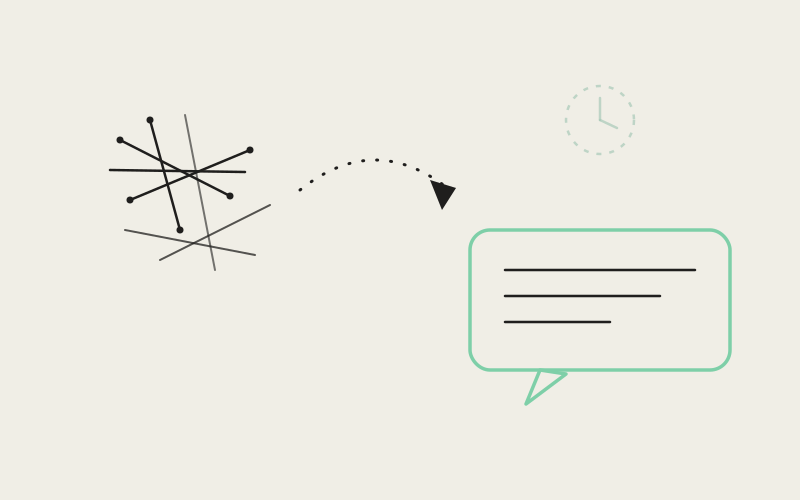
Point Influxx at a coding agent CLI and, underneath the chat bubble, you're often looking at raw process output — a Cursor-style {"output":"...","exitCode":0} JSON envelope, a full --help wall dumped mid-turn, or a bare login confirmation line — because that's genuinely what the CLI wrote to its stream. A terminal on a 27-inch monitor tolerates that. A 6-inch phone screen does not. Influxx Mobile 1.2 ships a shared scrubbing layer, native-chat-cli-shell-display.ts, that rewrites this raw output into readable copy the same way regardless of which of Influxx's 30+ supported agent CLIs produced it — one set of rules, not one per provider.
Thirty CLIs, One Set of Habits They All Share
Influxx doesn't run a single blessed agent — it wraps whichever CLI a developer already prefers, and that list keeps growing. Each of those tools has its own conventions for what it prints, but they converge on a small number of shapes that are fine in a terminal and hostile in a chat bubble: JSON envelopes that were never meant for human eyes, verbose help text that appears when a flag was missing, and short auth-status lines that matter but shouldn't dominate the screen. Building a special case per CLI for each of these shapes would mean the fix for "Cursor's JSON wrapper looks bad on mobile" doesn't help the next CLI that adopts the same convention. Influxx instead built one shared display layer that recognizes the shapes themselves, independent of which CLI emitted them, and both mobile/src/session/MobileNativeChatMessage.tsx on mobile and src/renderer/src/components/native-chat/NativeChatMessageRow.tsx on desktop import from the exact same source file.
Pattern One: Unwrapping the JSON Envelope
parseCliShellOutputEnvelope looks for text that starts with { and contains the literal string exitCode — a narrow, specific check rather than a generic "looks like JSON" test. It tries a real JSON.parse first, and only trusts the result if output comes back as a string. When the JSON is malformed or truncated — which happens with partial stream frames — it falls back to a regex peel that pulls the output and exitCode fields out directly. Either way, the extracted output string then runs through unescapeShellNewlines, which turns literal \r\n, \n, and \t escape sequences, plus escaped quotes and backslashes, back into their real characters — because a JSON-encoded string that made it into a chat bubble unparsed reads as a wall of \n characters instead of actual line breaks.
Pattern Two: Recognizing a Help Wall for What It Is
looksLikeCliHelpDump doesn't try to render help text more nicely — it detects it and replaces it outright. The check only looks at the first 8,000 characters and requires a minimum length of 80 to even consider a match, then looks for two independent signals together: something usage-shaped (a literal Usage: followed by a word, or an agent [options] pattern) combined with something flag-shaped (--api-key, --endpoint, an env var like CURSORAPIKEY, or a literal Arguments: line). As a secondary path, a path-like hint — a /.local/bin/ reference, the literal string cursor-agent, or claude -- — combined with a flag signal and enough length also counts. Both conditions exist together deliberately: usage text alone is common in ordinary prose, and flag-like substrings alone can appear in a code snippet, but the combination is a reliable fingerprint of an actual CLI help dump.
When that fingerprint matches, the entire dump — the actual test fixture in the shared test file is a real Cursor-agent help wall containing --api-key, CURSORAPIKEY, and a full Usage: agent [options] [command] block — gets replaced by a single generated line:
Pattern Three: Login Lines Stay, but Get Shortened
Not everything in a shell dump is noise. parseCliLoggedInAs looks for a "Logged in as <email>" pattern — with or without a leading checkmark glyph — and when it finds one, the display layer collapses the surrounding output down to just Logged in as user@example.com (or plain Logged in if no email is present). This only fires when the surrounding envelope looks like a genuine short auth confirmation: the extraction function keeps the line if the exit code is 0 or unset, or if the total body is under 500 characters — a login line that shows up buried inside 3KB of unrelated output doesn't get promoted to the whole message.
Deciding What to Show — In Priority Order
The core function, formatShellBody, evaluates a parsed envelope's output and exitCode through a fixed sequence, and the order matters as much as the individual checks:
- A login line wins first, before anything else is considered.
- A help-dump fingerprint replaces the body with the generic trouble message.
- A non-zero exit code combined with credential-flavored text (a regex matching
api key,auth,credential,login,permission,unauthorized, orforbidden) or simply a body over 600 characters also collapses to the trouble message — even without an explicit help-wall fingerprint, a long failed command is treated as noise rather than something worth reading raw. - An empty body with a successful or unset exit code is hidden entirely — the function returns
nullrather than an empty string, and the header comment is explicit about why: Cursor and similar CLIs emit many{"output":"","exitCode":0}rows as ordinary assistant turns, and rendering each one as a visible "Done" would spam the thread with six empty acknowledgments in a row. - An empty body with a failed exit code instead gets a human sentence, not silence and not raw JSON — more on that below.
- Anything else — real, useful, moderate-length output like the result of
lsor a status check — passes through, capped at 1,200 characters with a trailing ellipsis if it runs longer.
"The tempting shortcut is per-provider formatting — 'if this is Cursor, strip the JSON; if it's Claude, strip this other thing.' That approach means every new CLI we add starts back at zero, showing raw output until someone notices and writes a special case. We inverted it: detect the shape of the noise — an envelope, a help wall, a login line — and any CLI that happens to produce that shape gets the same clean treatment automatically."
— Kwame Osei, Engineer, Native Chat Platform at ETAPX
Empty Isn't Always Silent
The distinction between a hidden empty-success row and a spoken empty-failure row is one of the more deliberate details in this file. When an empty body carries a failing exit code, emptyShellTroubleMessage picks one of four human phrasings — for example "Think we got disconnected from <agent> — try that again?" or "<agent> came back empty-handed on that one." — selected by hashing the agent's name into an index rather than always showing the same sentence. The comment in the source calls this out directly: the rotation exists so a long multi-CLI session doesn't read as the exact same stuck string repeating every time something fails quietly. It's a small touch, but it's the difference between a chat thread that feels alive and one that feels like it's echoing a template.
"I run three different CLIs across different projects depending on the client, and before this update my phone thread was basically unreadable whenever one of them hit an auth hiccup — walls of JSON, walls of --help text, the works. Now every one of them just tells me plainly that something needs attention, in the same tone, regardless of which tool it actually was."
— Renata Ibekwe, contract backend developer, Influxx user
Two Entry Points, One Shared Contract
formatCliShellTextForDisplay is the read-only version — it returns the rewritten string, or null when the message should disappear entirely, and callers decide what to do with a null result. rewriteCliShellTextBlock wraps that for the common chat-bubble case: it converts a null result into an empty string, and — this is the detail worth calling out — it explicitly checks whether the scrubbed output actually differs from the trimmed original before treating it as rewritten. If nothing about the text was flagged as CLI noise, the original text passes through completely untouched. This matters because the vast majority of what a coding agent says is ordinary prose, not shell output, and a scrubbing layer that's too eager would risk mangling legitimate explanations that happen to mention a word like "login" in passing.
Where This Plugs Into the Chat UI
On mobile, MobileNativeChatMessage.tsx imports rewriteCliShellTextBlock directly and threads an agentLabel prop down through the component tree specifically so the generated trouble and disconnect messages can name the right CLI. The same shared file backs the desktop message row and a separate module, native-chat-tool-summary.ts, that also depends on it — meaning a tool-call summary and a full chat message get consistent treatment from the same rules, not two parallel reimplementations that could drift out of sync over time.
"You can tell how much technical debt a multi-provider integration is carrying by counting how many if-provider-equals branches live in its display code. We wanted zero. One shared file that understands 'this looks like a JSON shell envelope' or 'this looks like a help wall' scales to CLI thirty-one without anyone touching the mobile chat components at all."
— Adaeze Chukwu, VP of Engineering at ETAPX
Frequently Asked Questions
Does this scrubbing layer differ between the iOS app and the desktop app?
No. Both import the same native-chat-cli-shell-display.ts module, so a login line, help wall, or JSON envelope is rewritten identically whether you're reading it on your phone or on your desktop.
Will this ever hide output I actually needed to see?
Only empty, successful envelopes are hidden outright, on the reasoning that an empty success carries no information worth a chat bubble. Real output up to 1,200 characters passes through unchanged, and anything longer is truncated with an ellipsis rather than dropped.
What happens if a CLI I'm using isn't Cursor-style at all?
The detection rules key on the shape of the text — a JSON envelope structure, a help-wall fingerprint, a login-line pattern — not on which CLI produced it. Plain prose that matches none of those shapes is returned exactly as written.
Could this ever show the wrong agent's name in a trouble message?
The agent label is passed in explicitly by the calling component from the message's own context, so the generated line is attributed to whichever CLI actually produced that message.
Why does a failed empty response get a message but a successful empty response doesn't?
An empty success is treated as pure noise — many CLIs post several of these per turn as normal behavior, and showing each one would spam the thread. An empty failure is meaningful: something went wrong and returned nothing, so it gets one of several rotating human-readable lines instead of silence.
Does the login-line detection ever trigger on unrelated text that just mentions "logged in"?
It requires a specific pattern — an optional checkmark glyph immediately followed by "Logged in as" and an email-shaped token — and, inside a shell envelope, only promotes that line to the full message when the exit code is clean or the surrounding body is short. A long failing output that happens to mention login somewhere doesn't get collapsed this way; it instead falls into the credential-flavored trouble-message path.
Is there a size limit on what gets scanned?
The help-dump fingerprint check only inspects the first 8,000 characters of a given text block, and any passed-through real output is capped at 1,200 characters with a trailing ellipsis — both bounds keep the scrubbing pass and the rendered result predictable regardless of how much a CLI actually printed.
None of these individual rules is dramatic on its own — unwrap a JSON field, hide an empty success, shorten a login line — but together they're the difference between a phone chat thread that feels like it's translating thirty different tools into one voice, and one that feels like thirty raw terminals stitched together with a font size change.