Most apps that ship a CLI alongside a GUI treat the CLI as an afterthought — a thin export utility bolted on once the "real" product already works. Influxx Notes was built the other way around: the on-disk layout came first, the UI and the CLI were written as two clients of that same layout, and neither one is allowed to know something the other doesn't. The result is `influxx notes`, a 13-subcommand tool that can create, tag, favorite, trash, file, and journal notes in a workspace with zero running Electron process — because there was never a hidden state store for it to be locked out of in the first place.
The Problem With CLIs That Are Just Export Buttons
The usual pattern for adding command-line access to a notes-taking product looks something like this: the UI owns an in-memory model, that model gets serialized into a database or a proprietary blob, and later someone adds a CLI that opens a read-only connection to dump things to stdout. It technically works for humans skimming a workspace. It falls apart the moment you want an unattended process — a coding agent running in a background worktree, a script triggered from CI, a remote SSH session with no display server — to actually change something, because "actually changing something" means either shelling out to the app via some ad-hoc IPC bridge or, worse, hand-editing a format nobody documented.
Influxx's whole premise is that coding agents run in real git worktrees, often for long stretches with no one watching, and they need to leave notes for themselves and for whoever picks the work up next — a decision log, a journal entry, a note filed into a project folder. If writing one of those notes requires the desktop app to be open and reachable, the workflow is broken for exactly the sessions that need it most: an agent running headless on a remote box, or a CI job summarizing what it found. The fix wasn't a smarter IPC layer. It was refusing to let the notes data model depend on a running process at all.
One Directory, Two Clients
Every Influxx workspace that uses notes has a `.influxx/` directory sitting next to the code, and its layout is fixed and documented directly in the CLI's own spec — not tucked away in application source that only the Electron process understands:
- .influxx/notes/ — the markdown notes themselves, one file per note.
- .influxx/context/ — supporting context files an agent or teammate can reference.
- .influxx/project-state.md — a running summary of where the project stands.
- .influxx/folders.json — the folder tree notes get filed into.
- .influxx/notes-meta.json — metadata: tags, favorites, trash state, and anything else that isn't the note body itself.
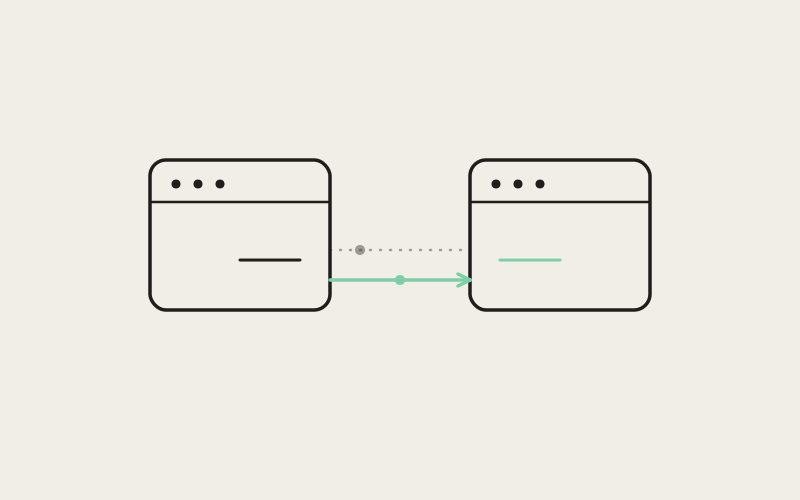
Nothing about that layout is an implementation detail the CLI happens to also understand — it's the contract. The desktop UI reads and writes exactly these files, and the CLI reads and writes exactly these files. There's no second source of truth, no sync step, no "the CLI will pick this up on next app launch." If you open the app five seconds after a CLI command runs, the note is already there, because the CLI didn't write to a queue — it wrote to the file the app was going to read anyway.
"The question we kept asking during design review wasn't 'what commands does the CLI need,' it was 'is there any piece of state the UI can see that the CLI can't write, or vice versa.' Every time the answer was yes, that was a bug, not a missing feature. `notes-meta.json` ended up being the file that kept us honest — favorites, trash, tags, it's all just JSON on disk, so there's no code path where the terminal and the app disagree about what's favorited."
— Marisol Etxeberria, Staff Engineer, Notes Platform at ETAPX
Inside the CLI: 13 Subcommands, Same State Every Time
The `influxx notes` namespace ships 13 subcommands: `list`, `show`, `path`, `create`, `write`, `delete`, `tag add`, `tag remove`, `favorite`, `trash`, `restore`, `folder`, and `journal`. Two more commands live alongside it and read the other two files in the contract — `context show` and `project-state show`. Between them, every mutation available from the notes UI has a direct command-line equivalent: there's no action a human can take by clicking that an agent can't take by invoking a binary.
Resolving --worktree Without a Running App
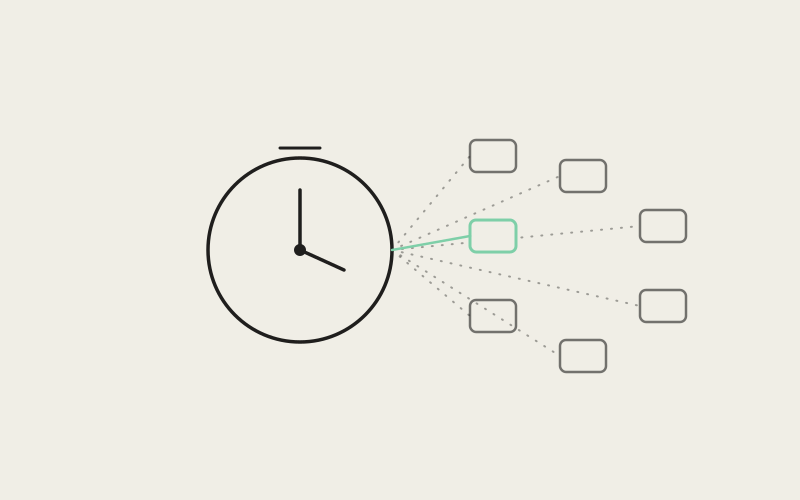
Because Influxx worktrees are real, separate git worktrees rather than simulated views inside one process, every `influxx notes` command accepts a `--worktree` flag to say which one it's operating on. That flag is deliberately flexible: it takes an absolute path, a relative path, or a path/id-qualified form for referencing a worktree by identifier rather than location. Leave it off entirely and the CLI walks up from the current working directory looking for a `.influxx` directory or a `.git` directory to anchor itself — the same resolution logic a shell script or an agent's own working-directory context would expect, with no daemon lookup and no requirement that Influxx be running anywhere on the machine. That matters specifically for the SSH case: an agent working over a remote connection has a real filesystem and a real current directory, and that's all `influxx notes` needs to find its footing.
Trash vs. Delete: Two Verbs, One Deliberate Gap
`notes trash
Folders and Journals That Create Themselves
Two of the commands are built around the assumption that an agent shouldn't need a prior UI visit to set up structure it hasn't touched yet. `notes folder
What This Looks Like End to End
Put the pieces together and an agent working a long-running task in a background worktree can, without any interaction with the desktop app, write itself a journal entry describing what it just changed, tag a note `blocked` when it hits something that needs human input, file a design note into a folder named after the feature it's building, and favorite the one note in the workspace it wants surfaced first — all as ordinary shell commands inside its own session. When a developer opens Influxx later that day, the notes panel shows exactly that state: the same tags, the same favorite star, the same folder tree, because it's reading the identical files the CLI wrote.
"I have an agent running overnight on a data-migration worktree over SSH, no GUI anywhere near it, and it leaves a journal entry every time it finishes a batch — `influxx notes journal` with a couple of `notes tag add` calls after. When I open the app on my laptop in the morning the whole trail is just sitting there in today's journal and the right notes are already tagged. I didn't have to reconcile anything or re-import a log file."
— Priya Ramaswami, infrastructure engineer at a logistics analytics company, Influxx user
The Design Discipline Behind It
The interesting engineering decision here isn't any single command — it's the constraint the team held throughout: the UI is not allowed to hold state that the CLI can't reach, and the CLI is not allowed to take a shortcut that skips a rule the UI enforces. `notes favorite
"We didn't set out to build a notes CLI, we set out to make sure nothing in Influxx assumed a human was sitting in front of the app. Agents run for hours in worktrees nobody's watching, sometimes on machines nobody's logged into, and if the only way to record what happened was a GUI, we'd have built a tool that fails exactly the workflow it's for. The notes CLI is what it looks like when you take that seriously all the way down to the file format."
— Adrian Voss, VP of Engineering at ETAPX
Frequently Asked Questions
Does the notes CLI require Influxx to be running?
No. There's no daemon lookup or IPC step in the resolution path — `influxx notes` reads and writes the `.influxx/` directory directly, so it works whether or not the desktop app is open on any machine.
How does the CLI know which worktree I mean?
You can pass `--worktree` with an absolute path, a relative path, or a path/id-qualified reference. If you omit it, the CLI walks up from your current directory looking for a `.influxx` or `.git` directory to anchor itself, the same way a shell script would.
What's the difference between trashing and deleting a note?
`notes trash` is a soft delete — it marks the note as trashed and removes it from favorites in `notes-meta.json`, but the markdown file stays on disk and can be brought back with `notes restore`. `notes delete` removes the markdown file outright and can't be undone, which is why the CLI's help text points agents toward `trash` first.
Can an agent file a note into a folder that doesn't exist yet?
Yes. `notes folder
What happens if I run `notes journal` on a workspace with no journal for today?
It creates the dated journal markdown file for you. `--date YYYY-MM-DD` lets you target a specific day; without it, the command defaults to today's local calendar date, and it won't overwrite a file that already exists for that date.
Will the UI and the CLI ever disagree about a note's state?
They read and write the same five files under `.influxx/` — notes markdown, `notes-meta.json`, `folders.json`, `context/`, and `project-state.md` — so there's no separate CLI-side cache or export format that could drift out of sync with what the app displays.
Does `project-state show` require the file to already exist?
No. The first time it's called against a workspace without a `project-state.md`, it bootstraps a minimal one from the existing notes index rather than failing, so it works as a cold-start command too.
A CLI that's a real second client of the same on-disk state, rather than a read-only mirror of one, changes what kind of automation you can trust with it — the measure of success here isn't how many commands `influxx notes` has, it's that none of them had to invent a rule the app didn't already follow.