A bug report kept coming back with the same shape: an Android user on a private mesh VPN would switch away from Influxx, come back a few minutes later, and find their session frozen. Taps did nothing. Pasted commands sat in the input box and went nowhere. The connection status header, unhelpfully, still said "Connected." The only fix anyone had found was to force-quit the app and relaunch it. What made this one hard wasn't reproducing the symptom — it was that the symptom had three independent causes, each of which would have shipped a partial fix on its own.
A Bug Report That Didn't Match the Status Bar
The reports were specific in a way that mattered. This wasn't "the app is slow" — it was a mesh VPN pattern (Tailscale-style private networking is common among Influxx's SSH-remote users) where the underlying network path can go quiet without the OS ever telling the app "you're offline." A mobile radio drops to a low-power state in the background, a mesh peer re-routes, or a VPN tunnel silently re-keys, and the TCP socket sitting underneath the mobile app's RPC connection to the desktop daemon becomes what's usually called half-open: the local socket believes it's fine, but nothing sent on it will ever be acknowledged again.
That alone is a known, solvable problem — you detect dead sockets with a heartbeat. What made this bug worth a real investigation was that the app's own status indicator was actively lying to the user during the outage. A frozen session is annoying. A frozen session that says "Connected" sends the user down the wrong troubleshooting path entirely — they assume it's their agent, or their VPN, or their WiFi, when the actual problem is three layers deep in the mobile client's reconnection logic.
"I run our whole SSH fleet through a private mesh network, so I'm used to the underlying connection blipping now and then — that's normal. What wasn't normal was opening the app after a meeting and seeing 'Connected' in green while nothing I typed actually reached the agent. I stopped trusting the status indicator entirely and just force-quit on reflex before doing anything important."
— Marcus Webb, DevOps lead at a logistics company, Influxx user
Root Cause One: A Reconnection Budget That Quietly Runs Out
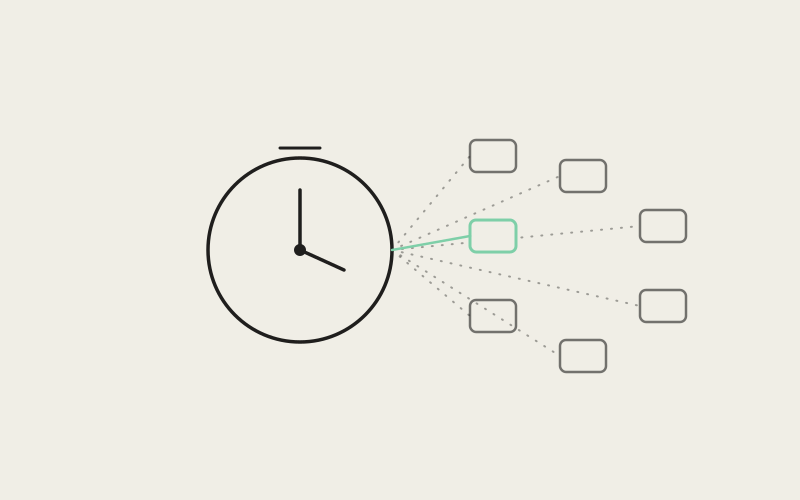
The mobile app talks to the desktop daemon over an RPC transport that reconnects with exponential backoff when a connection drops — a reasonable default for handling brief network blips without hammering the server. The problem was the ceiling on that backoff. The transport was hard-capped at 12 reconnection attempts, which at exponential backoff works out to roughly 6.5 minutes of retrying before the transport gives up entirely and parks itself in a permanently disconnected state.
Six and a half minutes sounds generous until you think about how people actually use a mobile app: they background it. They go to a meeting, or Slack, or just lock the phone, for longer than 6.5 minutes — which is exactly when a mesh VPN reroute or a mobile radio power-state change is most likely to have happened in the first place. By the time the user reopens the app, the transport has already exhausted its retry budget and stopped trying. And because nothing in the transport layer was listening for the app coming back to the foreground, reopening the app did nothing to nudge it. The connection was dead, the retry loop had already ended, and there was no event left in the system that would ever restart it — short of a full app relaunch, which recreates the transport from scratch.
- Backoff attempts: 12, hard-capped, no reset on app resume before the fix.
- Total retry window: approximately 6.5 minutes of exponential backoff.
- Foreground signal: none — app resume and transport reconnection were completely decoupled.
Root Cause Two: The 28-Second Blind Spot
Even for connections that hadn't fully exhausted their retry budget, there was a second, subtler problem in how the app noticed a dead link at all. Because TCP sockets can go half-open without either side receiving an error, the app relies on an application-level heartbeat: it probes the connection periodically and expects a response within a timeout. Before the fix, that probe ran on a 20-second interval with an 8-second timeout — meaning in the worst case, a dead socket could sit undetected for up to roughly 28 seconds after it actually died, since a probe might have just gone out right before the link failed.
That number lines up almost exactly with one of the more common complaints buried in the bug reports: pasted text "doesn't run immediately" right after switching back to the app. A user backgrounds the app, the link dies silently a few seconds later, they come back, and the health-probe cycle they're now waiting on wasn't restarted by the resume — it just kept running on its old 20-second cadence from whenever it last fired. In the worst timing, the user could be staring at a dead session for close to half a minute before the app even realized something was wrong, let alone attempted to fix it.
Two Timers, Neither One Aware of App State
What ties root causes one and two together is the same structural gap: both the reconnection backoff and the health-probe interval were timers running on their own schedules, with zero awareness of whether the app was foregrounded or backgrounded. A timer that doesn't know the app just woke up can't do anything useful in response to that event — it just keeps counting down from wherever it happened to be.
"Both of these were timers doing exactly what they were told, on schedules that made sense in isolation. The actual bug was architectural — the transport and the health monitor had no channel to hear 'the user just switched back to this app,' which is precisely the moment a stale connection is most likely to exist and most worth checking immediately instead of waiting out a stale interval."
— Priya Nakamura, Senior Engineer, Mobile Platform at ETAPX
Root Cause Three: A Client Swap That Some Screens Never Saw
The first two bugs explain why a connection could go dead and stay dead. The third explains why the status header kept saying "Connected" through all of it, which was the part that made the bug feel almost adversarial to debug.
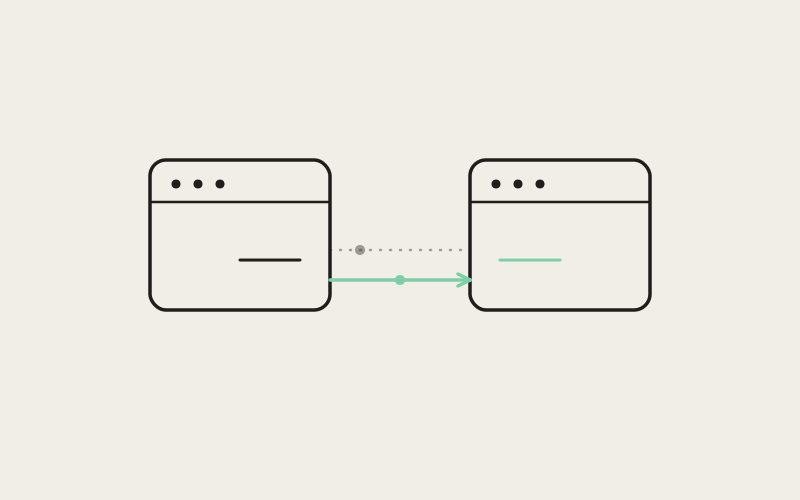
When the app does successfully force a reconnect, it doesn't try to repair the old network client — it swaps in a brand-new one. That's a sound pattern in principle. The bug was in how the rest of the app was supposed to learn about the swap. The client-connection hook that mounted screens use to get a reference to the active client only updated that reference if it was currently empty. On first mount, that's fine — the reference starts empty, gets filled, done. But after a forced reconnect replaced the client, any screen that had already mounted and already captured a reference to the old client simply kept using it. Its internal reference was no longer empty, so the hook's update-on-empty logic never fired, and the screen went on quietly driving a closed, dead connection indefinitely.
Meanwhile, the connection-status header in the app chrome was wired up separately, and it did pick up the new client correctly. So the user would see a healthy green "Connected" label at the top of the screen while the actual session view underneath it was still bound to a socket that had been dead since the last reconnect. Two different pieces of UI, reading from two different code paths, disagreeing about reality — and the one telling the truth was buried behind the one that wasn't.
"A dropped connection is a normal, recoverable event. A dropped connection the app can't tell you about is a trust problem, and trust problems compound — the next time that status header says 'Connected,' does the user believe it? Fixing the timers mattered, but fixing the silent disagreement between the header and the actual session state is what made the fix complete rather than cosmetic."
— Elena Torres, VP of Engineering at ETAPX
The Fix: Teaching the Connection Layer to Notice the App Woke Up
The actual fix is smaller than the investigation that led to it, which is usually a good sign. It centers on a new "notify foreground" event that the app's connection provider fires whenever the OS reports the app has become active — subscribing directly to app-foreground and app-background state rather than leaving reconnection logic to run on blind timers.
What that event does depends on the connection's current state:
- If the connection is already marked "connected": the health-probe interval restarts immediately, and one probe fires right away instead of waiting for the next scheduled tick. That's what collapses the worst-case detection window from up to 28 seconds down to at most 8 seconds — the length of the probe timeout itself, since there's no longer a stale 20-second interval standing between resume and the first check.
- If the connection is in a "reconnecting" state: the pending backoff timer gets cleared and the retry-attempt budget resets, so instead of waiting out whatever fraction of the 12-attempt, 6.5-minute window was left, the app retries immediately on resume.
The client-reference bug got a narrower but equally direct fix: the connection-consuming hook now re-reads the current client on every state change, not only when its stored reference happens to be empty. That closes the gap where a mounted screen could keep pointing at a dead client after a swap — every screen now picks up the fresh client on the same event that updates the status header, so the two can no longer drift apart.
Making a Degraded Connection Visible Instead of Silent
Fixing detection speed and reference staleness solved the "why does this happen" problem. There was a separate, smaller gap on the "what can the user do about it" side: previously, only a couple of screens in the app exposed any retry option at all if a connection looked unhealthy. Everywhere else, a degraded connection was something you waited out or force-quit past.
The session screen's connection-status indicator is now tappable the moment health degrades to a warning or unreachable state. It shows a "tap to retry" label and triggers a forced reconnect directly — the same reconnect path the automatic foreground-resume logic uses, just available on demand instead of only firing on an app-state transition. It's a small UI change sitting on top of the deeper fix, but it matters for the same reason the status header mattered: a connection problem the user can see and act on is a fundamentally different experience than one they have to guess at.
Testing a Bug That Only Reproduces Over Minutes
The hardest part of validating this fix wasn't writing it — it was proving it, because the original bug's timeline (a 6.5-minute retry exhaustion, a 20-second probe cycle) doesn't fit into a fast test suite if you run it at real speed. The test coverage for this fix has two layers for exactly that reason.
The first is a deterministic reproduction of the original parked-connection bug using simulated timers — fast-forwarding through the 12-attempt backoff and the probe intervals in milliseconds of real wall-clock time while asserting the transport's state transitions happen exactly as expected at each step. That's what runs on every change and catches regressions immediately.
The second is an opt-in live test harness that runs the real client against real sockets and real end-to-end encryption — no mocked transport, no simulated timers. One of its modes deliberately waits out the full worst-case multi-minute scenario end to end, actually letting the 6.5-minute retry window and the probe timeouts play out in real time against a live connection. It's not a test you want in the default CI loop, but having it available means the fix is verified against the actual failure mode, not just a model of it.
Frequently Asked Questions
Does this bug affect connections over a regular network, or only mesh VPNs?
The underlying half-open socket problem can happen on any network path where a link dies without a clean TCP close signal, but private mesh VPNs make it more likely because route changes and re-keying events tend to produce exactly that kind of silent failure rather than an explicit disconnect.
Why did the status header keep showing "Connected" during the outage?
The status header and the session screen read the active client through separate code paths. After a forced reconnect swapped in a new client, the header picked it up correctly while some already-mounted screens kept a stale reference to the old, dead client — so the two disagreed about the connection's real state.
How much faster is stale-link detection after the fix?
Worst-case detection dropped from roughly 28 seconds (a 20-second probe interval plus an 8-second timeout) to at most 8 seconds, because bringing the app to the foreground now restarts the probe interval and fires an immediate check instead of waiting on the existing cycle.
What happened to sessions that had already exhausted their 12 reconnection attempts?
Before the fix, nothing — the transport had permanently given up and only a full app relaunch would recreate it. After the fix, returning the app to the foreground while it's in a "reconnecting" state clears the pending backoff timer and resets the retry budget, forcing an immediate new attempt regardless of how much of the original window was used.
Can I manually retry a degraded connection instead of waiting?
Yes. The session screen's connection-status indicator becomes tappable once health drops to a warning or unreachable state, with a "tap to retry" label that triggers a forced reconnect on demand.
How was a bug involving minutes-long timers actually tested?
Through two layers: a fast, deterministic test suite using simulated timers that fast-forwards through the backoff and probe schedules for everyday CI runs, plus an opt-in live harness against real sockets and real encryption, including a mode that runs the full multi-minute worst case in real time.
Is this specific to Android, or could iOS hit the same issue?
The reports and the reproduction centered on Android, but the underlying fix — foreground-aware reconnection and probe restarts — is implemented at the connection-provider level the app uses to track OS foreground/background state generally, rather than as an Android-only patch.
None of these three bugs were exotic on their own — a retry budget with an edge case, a probe interval that didn't know about app state, a stale reference in a hook. What made the session look alive when it wasn't is that they failed in a way that canceled out the usual warning signs, leaving a status indicator with nothing true left to say.